Features
PIM (Planetary Interaction Manager) helps you track and optimize your EVE Online PI setups. I have a huge list of TO DO's, some mentioned here, some later in the document. Please chat to me if you have any suggestions or ideas!
Core Features
Multi-Character Support
Link all your characters to one account. Here you can see your character skill levels and refresh their data after doing some PI work. To do: automating this.
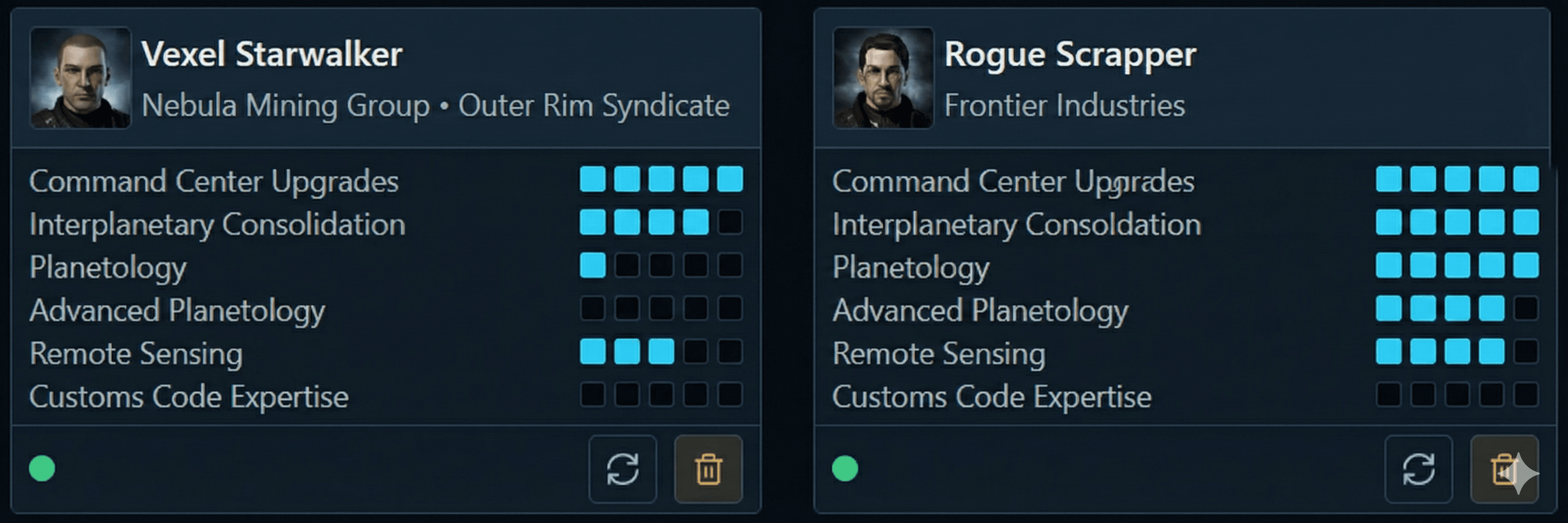
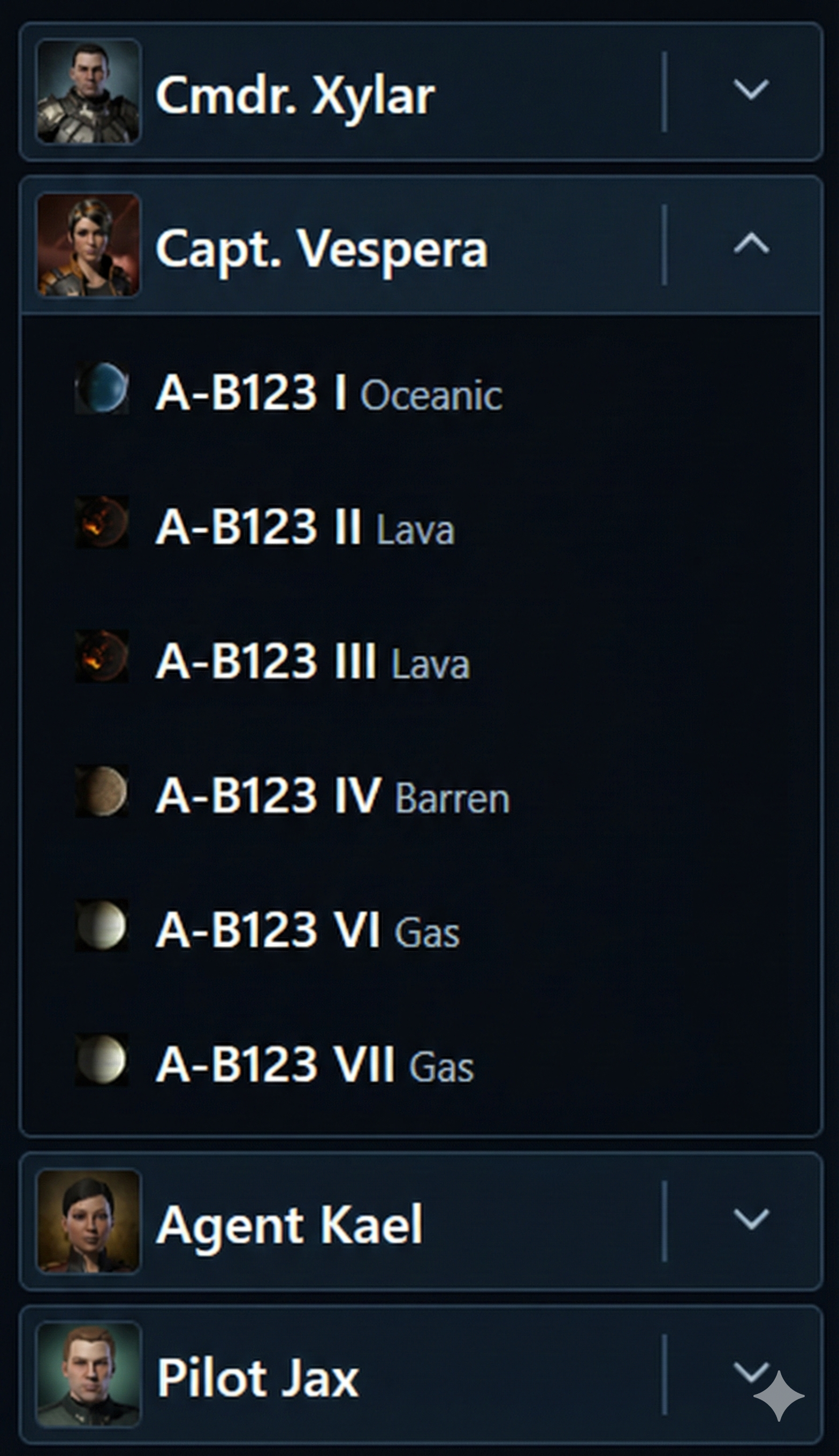
Switch between viewing the overall data for all your characters, to viewing for just that character, to viewing specific planets.
Analytics & Forecasting
See how your portfolio of colonies are actually running.
Overview
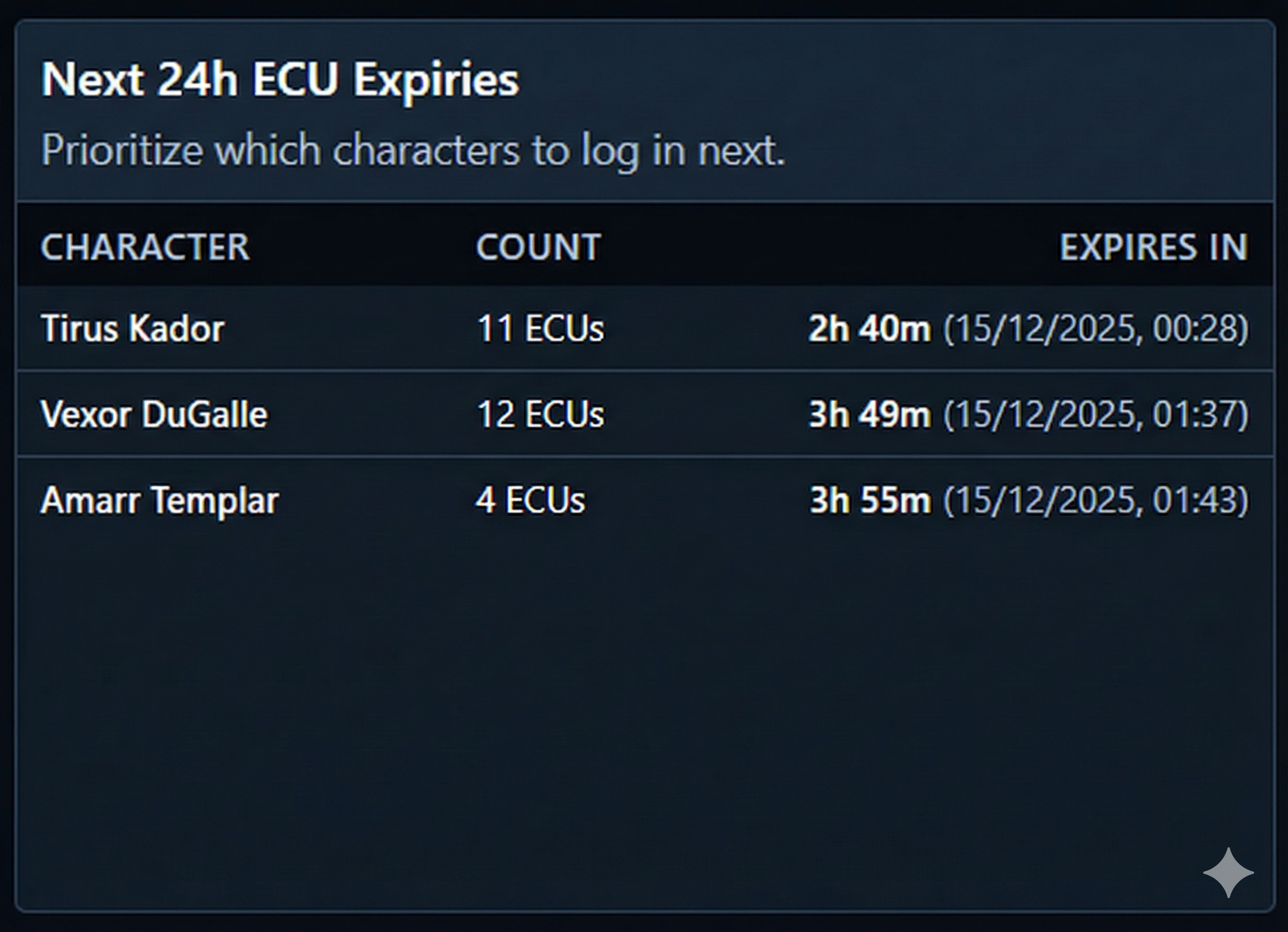
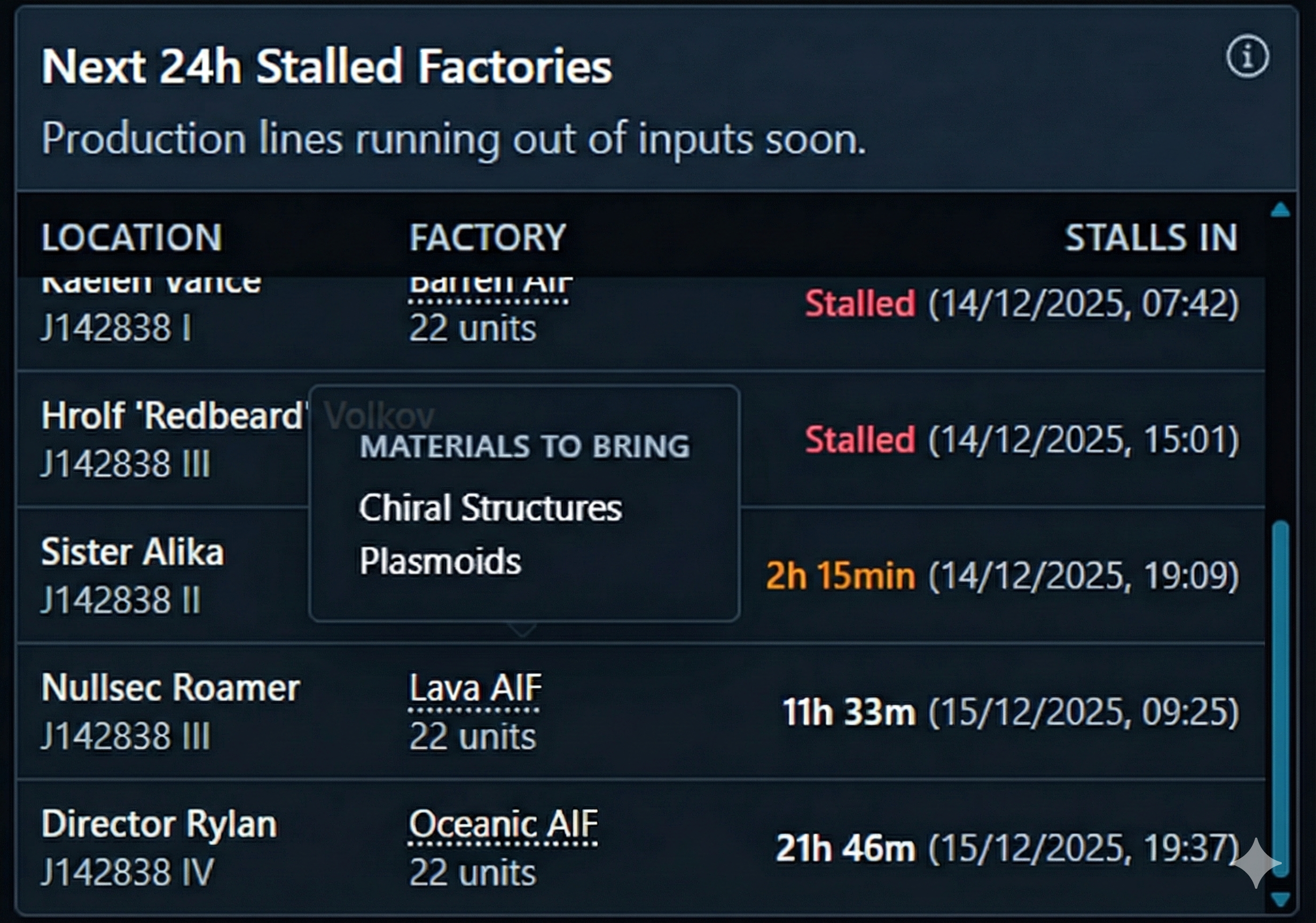
Know when things need attention:
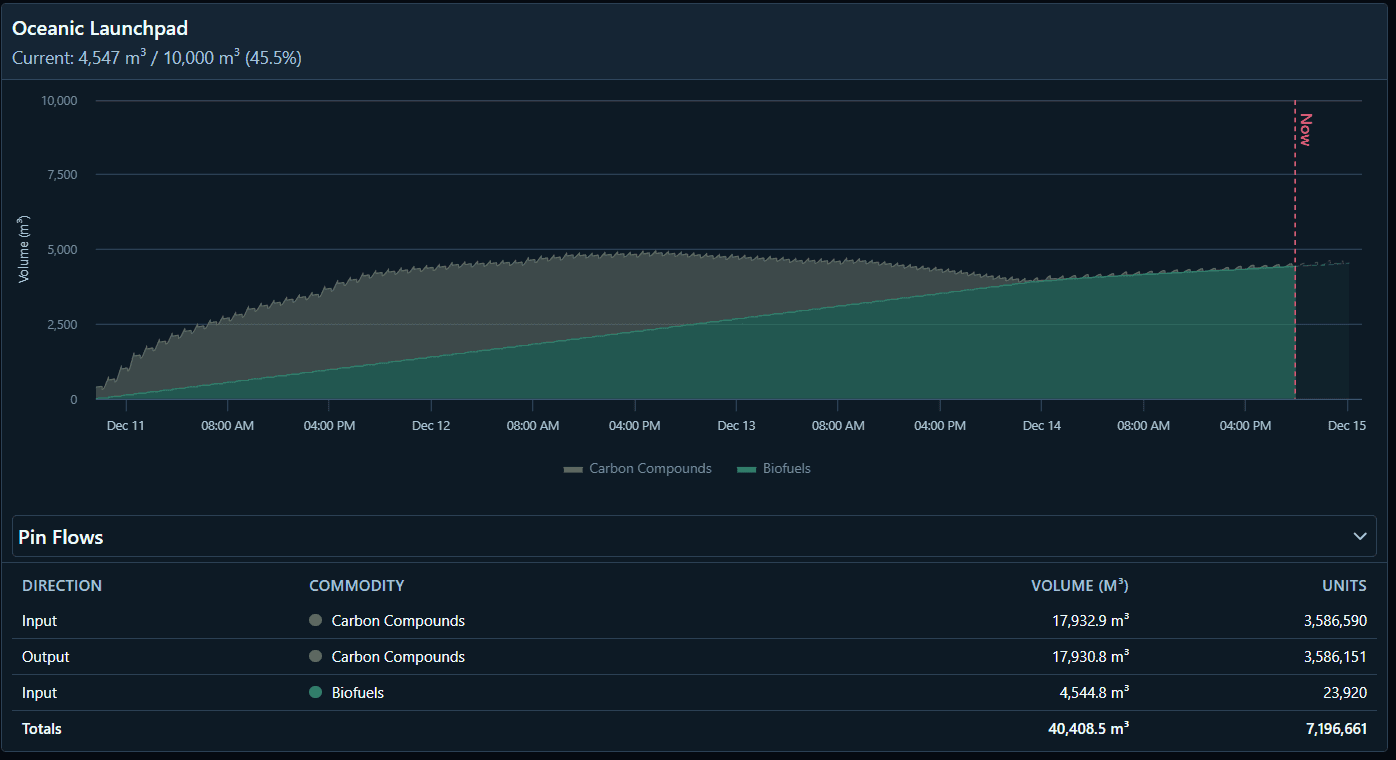
- Storage Overflow: See when storage will fill up before it stops production.
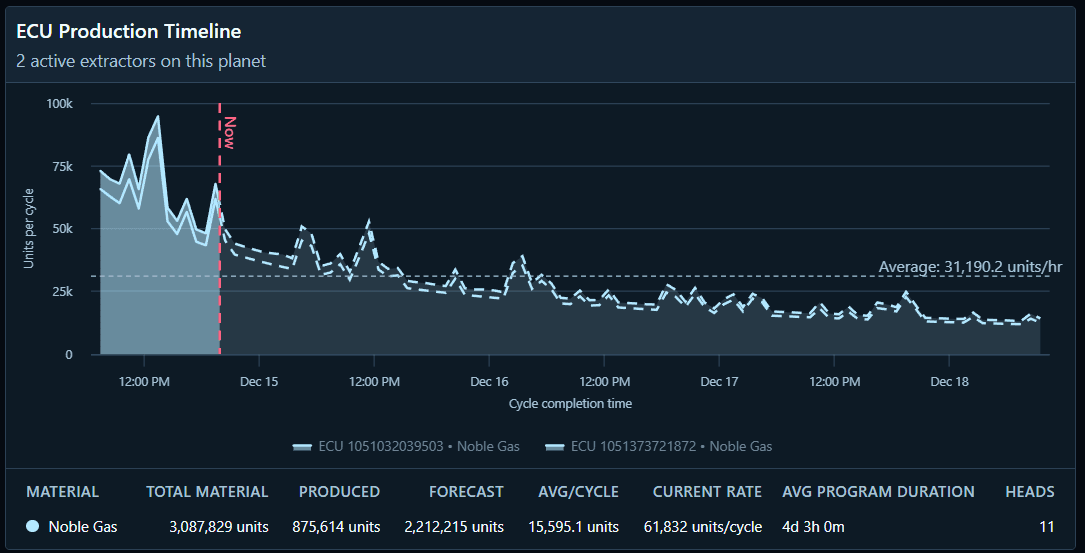
- Extractor Expiry: Timers for when extractors need resetting.
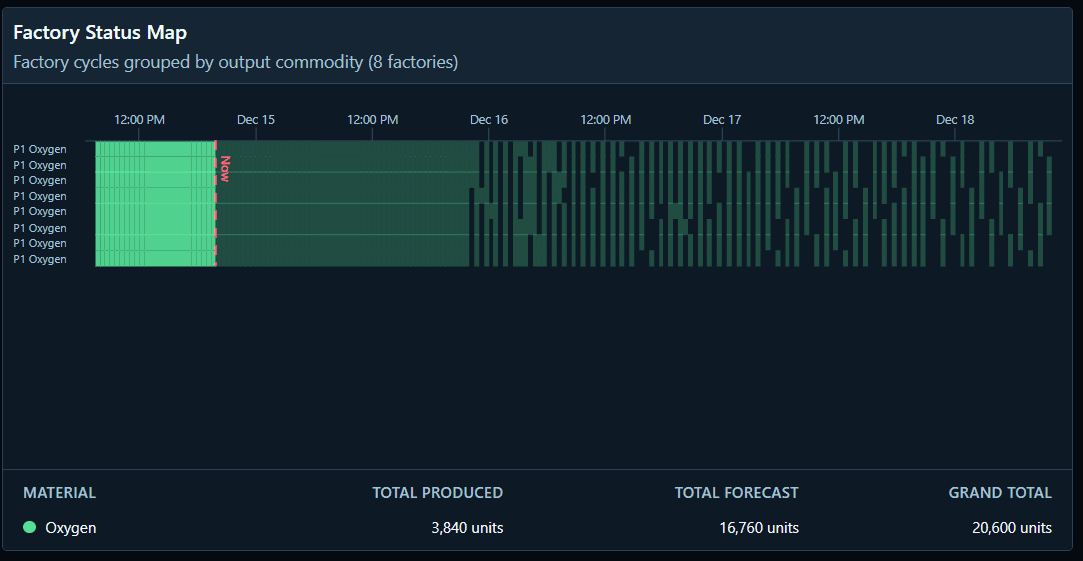
- Factory Utilization: Alerts for idle or underutilized factories. You can even see which materials it needs. To do: let you know here what you have in your POCO's as stock, and what you need to bring from your stations or other planets.
Planet Details
Get a quick summary of your colony health with status cards showing:
- Storage: Current fill levels and time until full.
- Extractors: Yield per hour and time until program expiry.
- Factories: Current efficiency and cycle status. The more empty spaces in the graph, the less they are producing.
OverView and Data View
The overview button lets you see all your planets, production and alerts. The cards in this section are mentioned in the rest of this document.
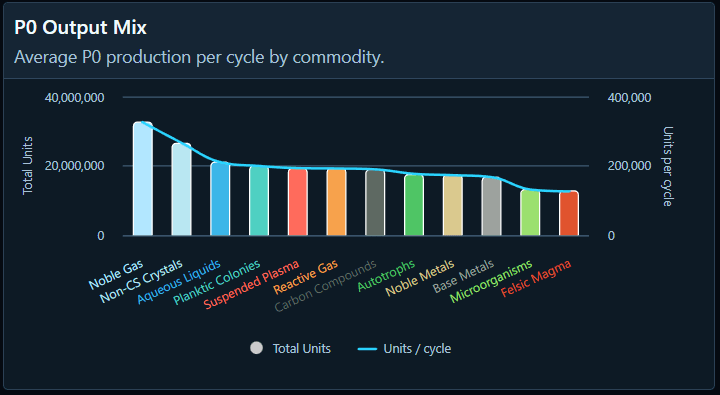
For example, you can see the production of your P0 to P4 materials in these charts. They are colour coded for the P0 material based on the type, then P1 to P4 have their own colours.
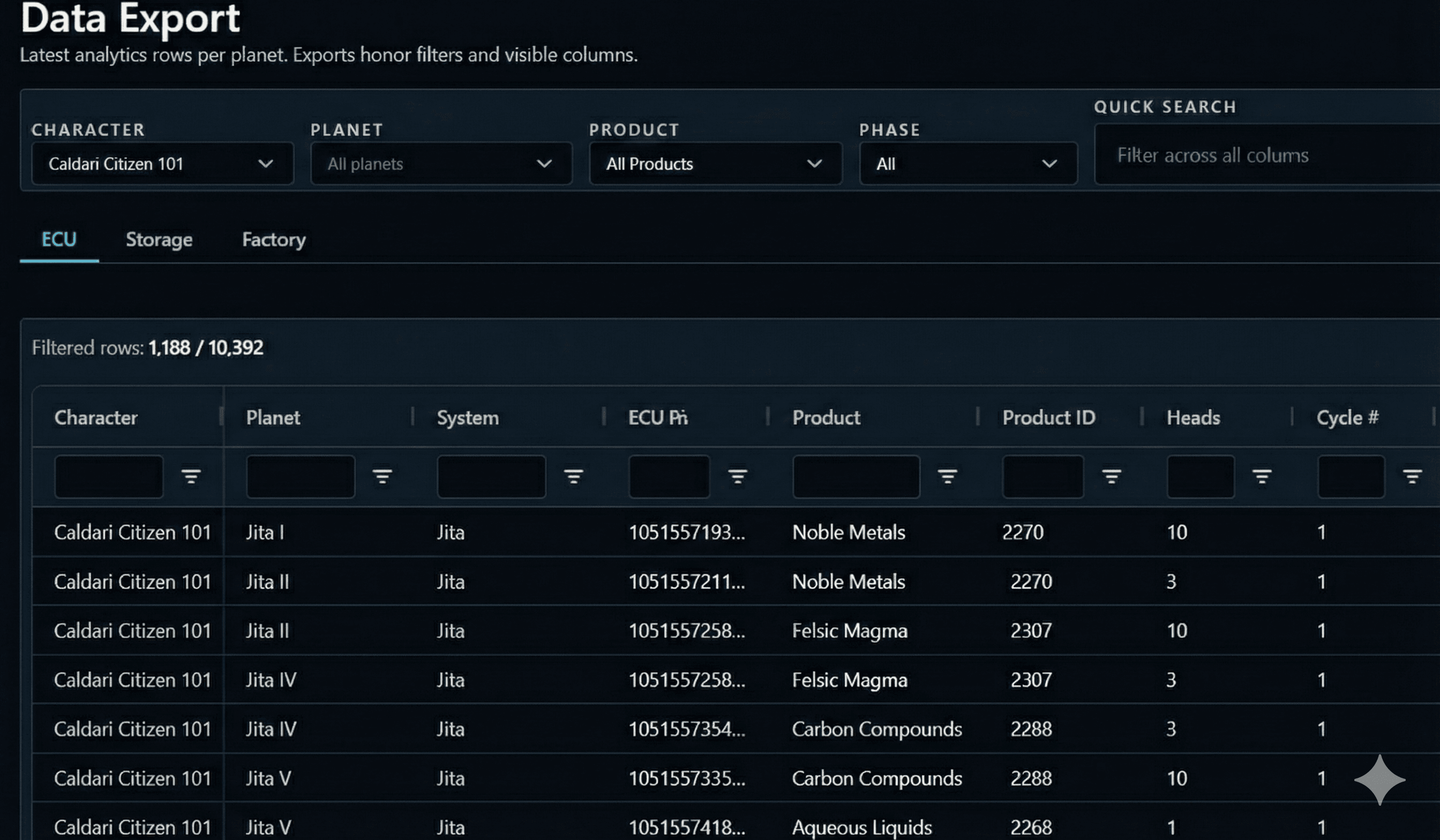
For the spreadsheet warriors, the Data tab gives you a flat table view of all your planets and you can download it to CSV. You can filter by:
- Resource: See who is extracting Noble Metals or Base Metals.
- Output: Track P0, P1, P2, P3, or P4 production across all characters.
- Status: Quickly find colonies with stopped extractors or full storage.
Systems Explorer & POCO Linking
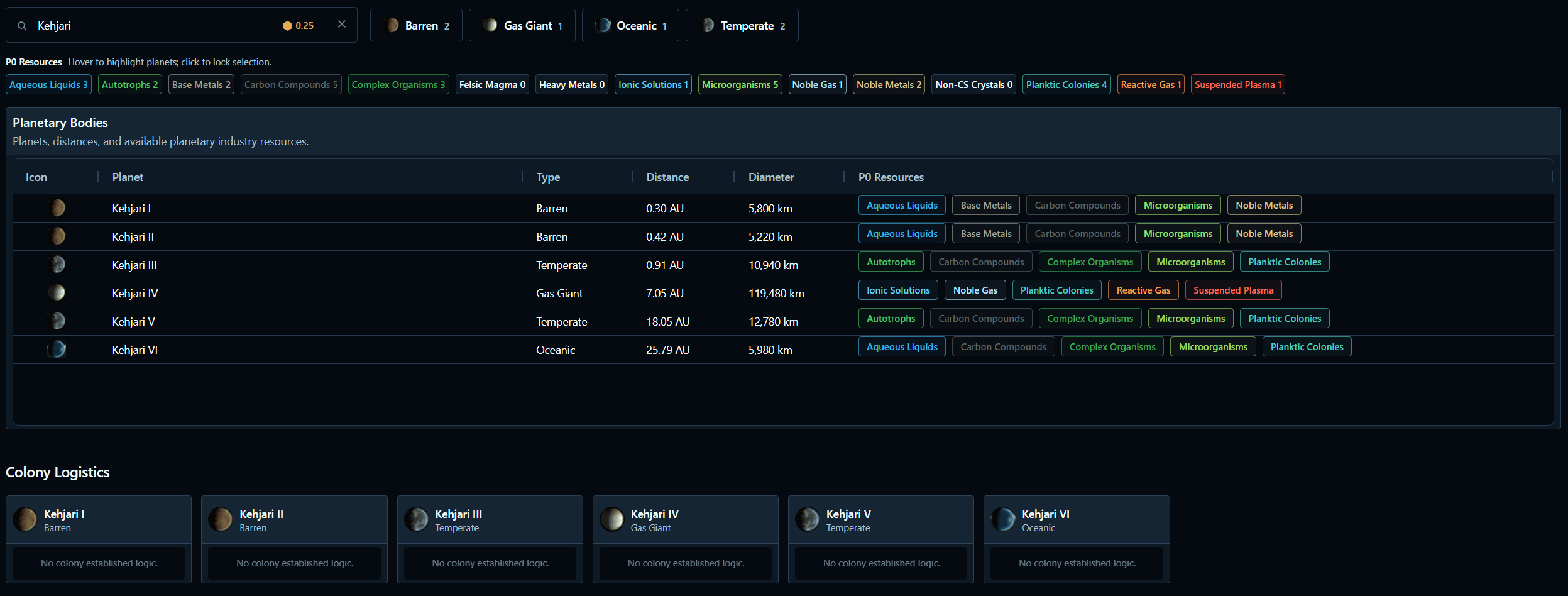
The Systems page lets you explore solar systems to see planet types and resource abundance. This is where you can also link your POCO's that enables the app to track materials inside. Use this to extend your PI storage!
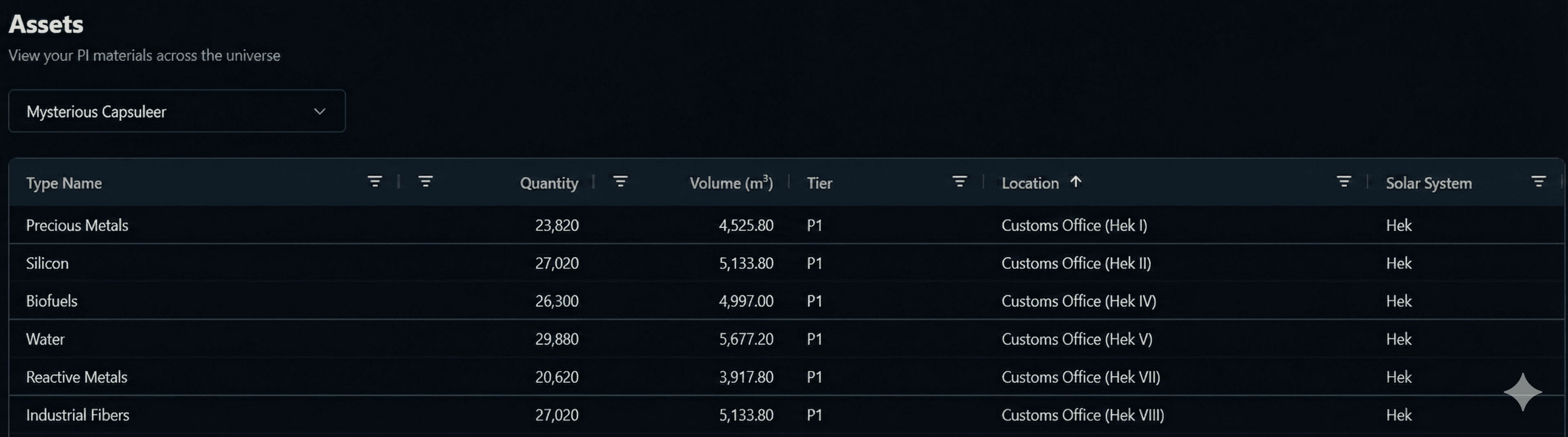
More importantly, it solves the "Unknown Location" problem in your assets.
- Link POCOs: Match "Item Hangar @ Unknown Location" to the actual Planet/POCO.
- Asset Tracking: Once linked, you can see exactly which POCO holds your PI materials in your asset viewer.
PIBLE (WIP)
This one is AI generated and does not give thanks yet to all the sources of information. However, there are some nice tips in there! I'll be rewriting this but there are many great sources out there. Built-in documentation for Planetary Interaction:
- Guides: Walkthroughs for basics and advanced mechanics.
- Setups: Layout examples for specific planets and commodities.
- Mechanics: Explanations for extraction, manufacturing, and logistics.
Faction Themes
Customize the look of PIM to match your allegiance. Choose from four faction-based themes:
- Caldari Steel: Cool blues and greys.
- Gallente Bioreactive: Greens and organic tones.
- Amarr Resonance: Golds and warm darks.
- Minmatar Rustborn: Rust oranges and industrial browns.
Security & Data
Authentication
We use Clerk for secure user accounts and logins. Your PIM account is separate from your EVE characters.
EVE SSO & Permissions
We use EVE SSO to sync your character data. We only ask for the permissions we need to make the app work:
- esi-planets.manage_planets.v1: To read your colony layouts and pins.
- esi-planets.read_customs_offices.v1: To identify POCOs.
- esi-skills.read_skills.v1: To check Command Center Upgrades and Planetology skills.
- esi-assets.read_assets.v1: To track PI materials in your hangars and POCOs.
- esi-universe.read_structures.v1: To resolve names of structures where you have assets.
Note that the data from EVE Online is sometimes cached and does not update immediatly. There is also limited data when it comes to PI, a lot of work has gone into predicting and forecasting where the PI data lacks.
Privacy
Your data is private to you. It is used solely to generate the insights you see in the dashboard. You can export or delete your data at any time.